Computer Power Supply Quiet Fan Setting A Comprehensive Guide
In today's world, computers have become an integral part of our daily lives. From work to entertainment, they serve a my...
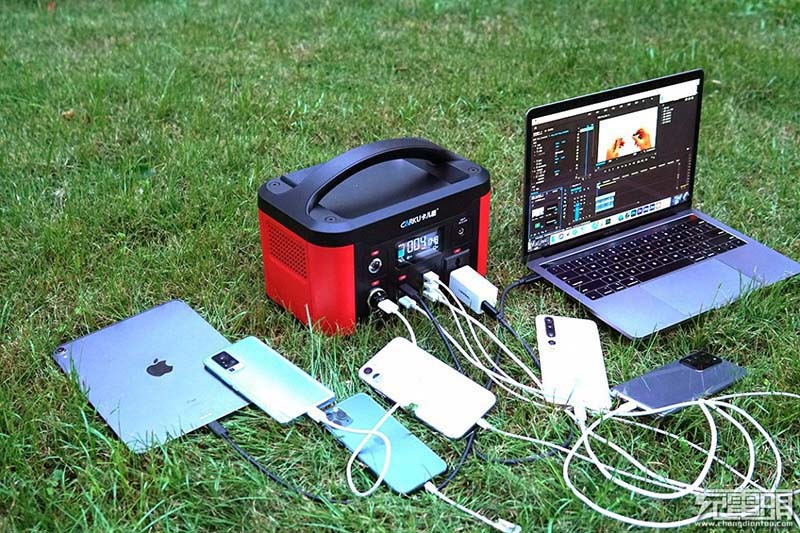
In today's world, computers have become an integral part of our daily lives. From work to entertainment, they serve a myriad of purposes. However, one aspect that often goes unnoticed is the noise produced by the power supply unit (PSU) fan. A noisy PSU can be a significant source of distraction, especially in quiet environments. Fortunately, there are ways to reduce the fan noise and achieve a quieter computing experience. This article will provide a comprehensive guide on how to set up your computer power supply with quiet fans.
Understanding PSU Fans
PSU fans are crucial for maintaining proper ventilation and preventing overheating. They keep the internal components cool by circulating air. However, these fans can sometimes become a source of unwanted noise. By adjusting their settings, you can significantly reduce this noise without compromising their effectiveness.
Check Your PSU Model
Not all PSUs are created equal. Some models come with quieter fans from the factory, while others may require manual adjustments. It's essential to know your PSU's capabilities before making any changes. Consult your PSU's manual or manufacturer's website for specific guidance on how to adjust fan speeds.
Use a Fan Controller
A dedicated fan controller is a great investment if your PSU doesn't have built-in speed adjustment options. These devices allow you to fine-tune the fan speeds according to your preferences, often with adjustable profiles for different usage scenarios. Look for controllers that offer both voltage and PWM (Pulse-Width Modulation) control for precise adjustments.
Adjust Fan Curves in BIOS/UEFI
Many modern motherboards come with built-in fan control options in the BIOS or UEFI settings. Here, you can set custom fan curves that adjust the fan speed based on system temperature or other parameters. This approach can help maintain optimal cooling while keeping the noise levels under control.
Install Quiet Fan Blades
Replacing the stock fan blades with quieter ones can significantly reduce noise levels. Look for fans with anti-vibration mounts and oil-less bearings, as these features contribute to quieter operation. Be sure to choose fans that are compatible with your PSU and meet its cooling requirements.
Improve Airflow and Reduce Dust Buildup
Proper airflow and regular dusting can help maintain efficient cooling without the need for high fan speeds. Ensure that your case has adequate ventilation and consider adding additional fans if necessary. Regularly clean your PSU and other components to prevent dust buildup, which can obstruct airflow and force fans to work harder.
Consider Under-Volting Your Fans
Under-volting involves reducing the voltage supplied to the fans, which lowers their speed and, consequently, their noise output. This technique requires some trial and error to find the optimal voltage level that maintains adequate cooling without excessive noise. Be cautious when under-volting as it can affect fan lifespan if done excessively.
Utilize Silent Mode in Your PSU
Some PSUs come with a silent mode feature that automatically adjusts fan speeds based on system load. Enabling this mode can help reduce noise levels during light to moderate usage, although it may not be suitable for high-intensity tasks that generate more heat.
Monitor Fan Performance Regularly
Regularly monitor your fan performance to ensure they're operating efficiently and within acceptable noise levels. Tools like hardware monitoring software or even the BIOS/UEFI logs can help you track fan speeds and system temperatures, allowing you to make adjustments as needed.
Consider Upgrading to a High-Quality PSU
If you frequently encounter noisy fan issues, investing in a high-quality PSU from the outset may be a better long-term solution. Premium PSUs often come with quieter fans and better cooling performance, reducing the need for extensive adjustments or replacements down the line.
Reducing the noise produced by your computer power supply fan doesn't have to be a complex process. By understanding your PSU's capabilities, utilizing available control options, and making informed adjustments, you can achieve a quieter computing experience without compromising performance. Remember to balance noise reduction with effective cooling to ensure your system remains stable and reliable over time. With these tips in mind, you can enjoy a more peaceful computing environment tailored to your needs.
Related Content
- DC Power Supply 5V 3A A Comprehensive Guide
- Uninterruptible Power Supply for Home Ensuring Continuous Power and Protection
- The Ultimate Guide to AC Power Bank Portable Power On the Go
- HP Laptop Power Supply Pinout A Comprehensive Guide
- How to Get Power Supply Unit Abiotic Factor A Comprehensive Guide
- Halo 5000mAh Power Bank Your Ultimate Portable Charging Solution
- Amazon Portable Power Bank Your Ultimate Guide to Staying Powered On the Go
- 24 Volt DC Switch Mode Power Supply A Comprehensive Guide
- HP Power Banks for Laptops A Comprehensive Guide
- Breadboard Power Supply Module Schematic A Comprehensive Guide
