EcoFlow Delta 3 Power Station Manual A Comprehensive Guide
The EcoFlow Delta 3 power station is a cutting-edge portable power solution designed to meet the needs of outdoor enthus...
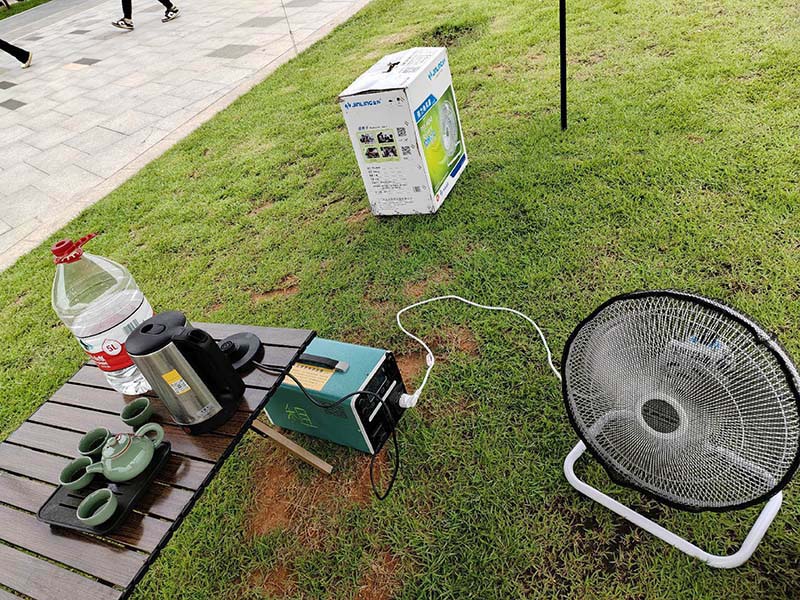
The EcoFlow Delta 3 power station is a cutting-edge portable power solution designed to meet the needs of outdoor enthusiasts, emergency preppers, and anyone requiring reliable off-grid power. This versatile device combines high capacity, fast charging, and multiple output options, making it an essential tool for powering electronics, appliances, and tools on the go. Understanding how to properly use and maintain the EcoFlow Delta 3 is crucial for maximizing its performance and longevity. This article provides a detailed manual-style overview, breaking down the key features, operation tips, and maintenance guidelines.
Unboxing and Initial Setup
When you first receive the EcoFlow Delta 3, carefully unbox all components, including the power station itself, charging cables, and the user manual. Before initial use, it’s advisable to fully charge the unit using the included AC adapter. Plug the charger into a standard wall outlet and connect it to the power station’s input port. The charging indicator will show the progress, and a full charge typically takes around 1.5 hours thanks to EcoFlow’s rapid charging technology.
Understanding the Interface and Controls
The Delta 3 features a user-friendly LCD screen displaying real-time information such as battery percentage, input/output wattage, and estimated runtime. The main control buttons include the power button, AC output toggle, USB ports activation, and a DC output switch. Familiarize yourself with these controls to efficiently manage power distribution. Pressing the power button briefly turns the unit on or off, while holding it down can initiate a system reset.
Charging Methods and Options
One of the Delta 3’s strengths is its flexibility in charging. Besides the standard AC wall charger, you can recharge the unit via solar panels or a car charger. The solar charging option supports up to 400W input, making it ideal for off-grid scenarios. To connect solar panels, use the MC4 input port and ensure the panels are properly oriented for maximum sunlight. Car charging is convenient for road trips; simply plug the car adapter into the 12V socket and the Delta 3.
Output Ports and Power Delivery
The Delta 3 offers multiple output options to power a wide range of devices. These include six AC outlets providing up to 1800W continuous power, USB-A and USB-C ports for mobile devices, and a 12V car port for automotive accessories. The AC outlets are perfect for laptops, mini-fridges, and power tools, while the USB-C ports can fast-charge compatible smartphones and tablets. Always check the power requirements of your devices to avoid overloading the station.
Safety Features and Precautions
EcoFlow has integrated several safety mechanisms into the Delta 3 to protect users and devices. These include overcurrent protection, short circuit prevention, and temperature control to prevent overheating. It’s important to use the power station in a well-ventilated area and avoid exposing it to extreme temperatures or moisture. Additionally, never attempt to open or modify the internal components, as this can void the warranty and pose safety risks.
Maintenance and Storage Tips
To ensure your EcoFlow Delta 3 remains in optimal condition, regular maintenance is recommended. Keep the unit clean by wiping it with a dry cloth and avoid using harsh chemicals. If you plan to store the power station for an extended period, charge it to around 50% and turn it off. Check the battery level every three months and recharge as needed to prevent battery degradation.
Troubleshooting Common Issues
If you encounter issues such as the unit not powering on or failing to charge, first verify that all cables are securely connected. Ensure the power source is functioning correctly and try resetting the device by holding the power button for 10 seconds. For display errors or unexpected shutdowns, contact EcoFlow customer support for professional assistance. Avoid attempting repairs yourself to prevent damage.
The EcoFlow Delta 3 power station is a powerful and versatile portable energy solution suitable for a variety of applications. By following this manual’s guidance—from initial setup and charging options to safety precautions and maintenance—you can maximize the performance and lifespan of your Delta 3. Whether you’re camping, facing a power outage, or working remotely, the EcoFlow Delta 3 offers reliable, efficient power wherever you need it. Remember to always refer to the official user manual for detailed instructions and updates.
Related Content
- Jackery Portable Power Station 500 The Ultimate On-the-Go Power Solution
- Best Value Portable Power Station UK Your Ultimate Guide
- Power Station Portable Price A Comprehensive Guide for Buyers
- List of Power Stations in Ohio A Comprehensive Overview
- Battersea Power Station Photos Capturing the Iconic London Landmark
- EF EcoFlow Portable Power Station Delta The Ultimate Power Solution for On-the-Go Energy Needs
- Battersea Power Station A Timeline of Historical Significance
- Properties for Sale at Battersea Power Station A Comprehensive Guide
- Hand-Held Charging Dedicated Power Station A Comprehensive Guide
- 500W Solar Rechargeable Power Station Your Ultimate Portable Energy Solution
