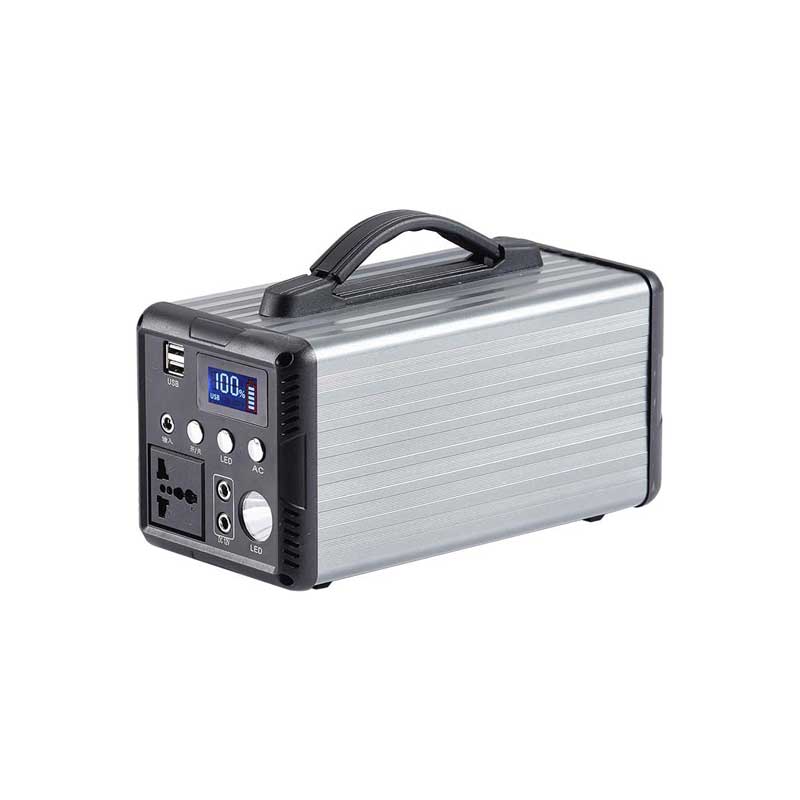
Supply Power to USB Ports A Comprehensive Guide
In today's digital age, USB ports have become an integral part of our daily lives. From charging our smartphones to conn...

In today's digital age, USB ports have become an integral part of our daily lives. From charging our smartphones to connecting peripherals, USB ports play a crucial role in our tech-driven world. However, ensuring that these ports have a reliable power supply can be a challenge, especially in scenarios where multiple devices need to be powered simultaneously. This guide will explore various aspects of supplying power to USB ports, from basic principles to advanced troubleshooting tips.
Understanding USB Power Delivery
USB ports are designed to provide a standard 5V output, with current capacities ranging from 2.5A (USB 2.0) to 3A (USB 3.0) and up to 9A (USB 3.1 Gen 2 and USB-C with Power Delivery). The power delivery system relies on the USB-IF's BC (Battery Charging) 1.2 specification for identifying devices and adjusting the current accordingly. Understanding these specifications is crucial for efficient power management.
Choosing the Right Power Source
To effectively supply power to multiple USB ports, it's essential to select a power source with sufficient output current. Power strips or surge protectors with multiple USB ports are convenient but may fall short if they don't deliver enough current collectively. Consider investing in a dedicated USB charger or a power bank with high-current outputs if you frequently charge multiple devices simultaneously.
Voltage Regulation and Stability
Maintaining a stable 5V output is vital for ensuring compatibility across different USB devices. Many modern power supplies incorporate voltage regulation circuitry to ensure that the voltage supplied to USB ports remains consistent, even under load variations. Look for power sources that boast advanced features like over-voltage protection and voltage stabilization to ensure safe and reliable operation.
Managing Power Consumption
When multiple devices are connected to the same USB hub or power strip, managing power consumption becomes crucial. Some devices draw more current than others, which can lead to power shortages or even damage to the USB ports. Utilize power management features like USB hubs with individual power switches or smart charging technologies that prioritize devices based on their charging needs.
Understanding Cable Matters
The quality of USB cables can significantly impact power delivery efficiency. Certified cables with the right gauge (AWG) ensure minimal power loss and better performance. Shorten the distance between the power source and USB ports wherever possible to minimize voltage drop, especially when dealing with longer cables.
Overheating Prevention
Excessive heat can damage USB ports and reduce their lifespan. Ensure proper ventilation around power strips and USB hubs to prevent overheating. Look for products with built-in thermal protection features that automatically shut off in case of overheating.
Using Power Delivery (PD) for Faster Charging
USB-C with Power Delivery offers faster charging speeds compared to traditional USB charging methods. If your devices support PD, invest in a compatible power source and cables to take advantage of this technology.
Safety Precautions
Always prioritize safety when handling electrical components and USB devices. Avoid using damaged or frayed cables, and never overload power strips beyond their rated capacity. Regularly inspect power strips for signs of wear or damage and replace them as needed.
Software Optimization
In some cases, software updates or specific settings can improve power management efficiency. For example, some operating systems allow you to limit the charging rate of connected devices to conserve energy or prevent overcharging.
Future-Proofing Your Setup
As technology evolves, consider future-proofing your USB power setup by investing in scalable solutions like modular power strips or expandable USB hubs that can accommodate additional ports as needed. This will ensure your setup remains relevant as your device collection grows.
: Ensuring Efficient and Safe USB Power Supply
Supplying power to USB ports effectively requires a balance of hardware selection, proper management practices, and an understanding of underlying technologies. By following the tips outlined above, you can ensure reliable, safe, and efficient power delivery for your USB devices. Whether you're powering a single device or multiple peripherals simultaneously, investing in quality components and practicing good power management habits will keep your USB ecosystem running smoothly for years to come.
Related Content
- Best Solar Charging Power Bank Your Ultimate Guide to Portable Solar Power
- Computer Power Supply Fan Replacement A Comprehensive Guide
- 12 Volt 5 Amp DC Supply AC Power Adapter A Comprehensive Guide
- Best Portable Phone Charger Bank Your Ultimate Guide to Staying Powered On the Go
- Integrated Power Designs Power Supplies A Comprehensive Overview
- Power Banks for Laptops A Game-Changer in Portable Power Solutions
- Anker Power Bank User Manual A Complete Guide
- PCB Board Power Supply A Comprehensive Guide
- Best Portable 120V Power Supply Your Ultimate Guide to Reliable Power on the Go
- LED Power Supply Plug A Comprehensive Guide