Uninterruptible Power Supply Best Buy Your Ultimate Guide to Choosing the Perfect UPS
In today’s digital age, power interruptions can cause significant disruptions, data loss, and hardware damage. Whether y...
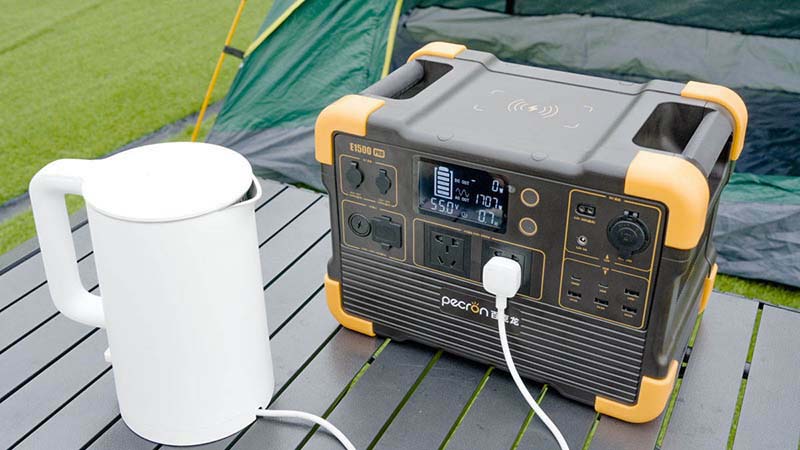
In today’s digital age, power interruptions can cause significant disruptions, data loss, and hardware damage. Whether you are protecting sensitive electronics at home or ensuring business continuity in an office, investing in an uninterruptible power supply (UPS) is essential. But with so many options available, how do you choose the best UPS for your needs? This article will guide you through the key factors to consider when purchasing an uninterruptible power supply, helping you make an informed decision for the best buy.
Understand What a UPS Does
An uninterruptible power supply provides backup power during outages and protects your devices from power surges, voltage drops, and electrical noise. It acts as a bridge between your equipment and the main power source, giving you enough time to save work and safely shut down devices. Knowing the basic function of a UPS will help you appreciate its importance and select the right type.
Determine Your Power Requirements
The first step in choosing the best UPS is to calculate the total wattage or VA (volt-ampere) rating of the devices you want to protect. Add up the power consumption of all equipment that will be connected to the UPS. This ensures you buy a UPS with sufficient capacity to handle your load without overloading or underutilizing the unit.
Choose the Right UPS Type
There are three main types of UPS systems:
Standby UPS: Provides basic battery backup and surge protection, suitable for home computers and small electronics.
Line-Interactive UPS: Offers voltage regulation and better protection against power fluctuations, ideal for small offices and gaming setups.
Online UPS: Delivers continuous power from its battery, providing the highest level of protection for critical servers and data centers.
Selecting the correct type based on your environment and needs is crucial for optimal performance.
Consider Battery Runtime
Battery runtime refers to how long a UPS can power your devices during an outage. For short interruptions, a few minutes of backup may suffice to save your work and shut down safely. However, if you need extended power support, look for models with longer battery life or options to add external battery packs.
Look for Essential Features
Modern UPS units come with various features that enhance usability and protection:
Automatic Voltage Regulation (AVR): Stabilizes voltage without switching to battery power.
LCD Display: Shows real-time status, battery life, and load levels.
Surge Protection: Shields devices from spikes and lightning strikes.
USB/Network Connectivity: Allows monitoring and automated shutdown via software.
These features can improve your experience and safeguard your equipment more effectively.
Check the Number and Type of Outlets
Ensure the UPS has enough outlets to connect all your devices. Some outlets may only provide surge protection without battery backup, so verify which ones provide full protection. Additionally, consider the spacing of outlets to accommodate bulky plugs and adapters.
Evaluate Brand Reputation and Warranty
Buying from a reputable brand ensures better quality, reliability, and customer support. Check reviews and ratings from other buyers. Also, consider the warranty period and what it covers to protect your investment.
Budget and Value for Money
UPS units vary widely in price depending on capacity and features. Set a budget but avoid compromising essential specifications for a lower price. A slightly higher investment in a quality UPS can save you from costly damages and downtime in the long run.
Size and Portability
If you plan to move the UPS between locations or have limited space, consider the size and weight. Some models are compact and lightweight, making them easier to handle.
Maintenance and Battery Replacement
UPS batteries have a limited lifespan, usually 3 to 5 years. Check how easy it is to replace the battery and the cost involved. Regular maintenance ensures your UPS will perform well when you need it most.
Choosing the best uninterruptible power supply for your needs involves understanding your power requirements, selecting the right type, and considering features like battery runtime, outlets, and brand reliability. By carefully evaluating these factors, you can find a UPS that provides reliable protection, peace of mind, and excellent value for money. Investing in a quality UPS is a smart decision to safeguard your electronics and keep your operations running smoothly during power disturbances. Make your UPS best buy today and never worry about unexpected outages again.
Related Content
- Power Supply for LED Strip A Comprehensive Guide
- Anker Power Bank The Ultimate Portable Charging Solution
- Battery Power Bank for Camping Your Essential Guide to Staying Powered Outdoors
- Anker Magnetic Power Bank 10,000mAh Recall What You Need to Know
- Switching Power Supply 12V 60A A Comprehensive Guide
- Portable Power Bank for Dell Laptops The Ultimate Guide
- DC 5V Power Supply A Comprehensive Guide
- Lenovo 400W Laptop Power Supply A Comprehensive Guide
- What Is a Power Supply Unit Used For?
- Uninterruptible Power Supply PDF A Comprehensive Guide
