Power Supply for a HP Laptop A Comprehensive Guide
In today's fast-paced digital world, owning a reliable and efficient laptop is crucial for staying connected and product...
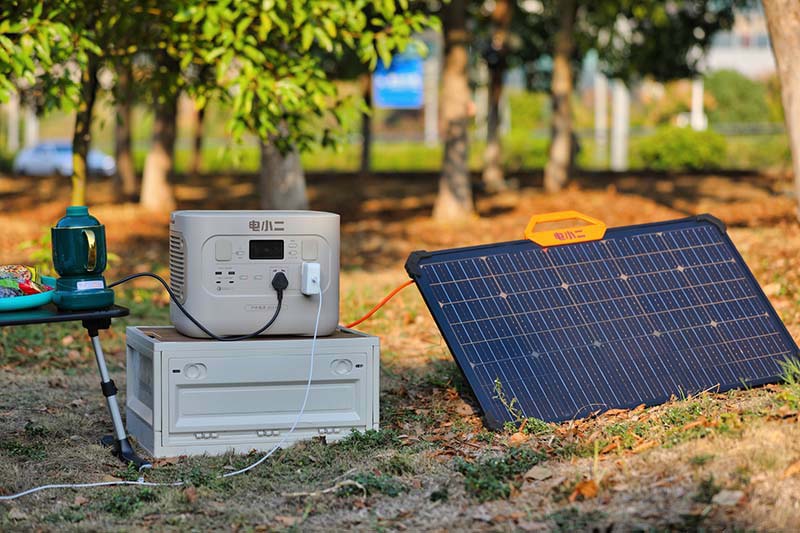
In today's fast-paced digital world, owning a reliable and efficient laptop is crucial for staying connected and productive. HP, a leading name in the technology industry, offers a wide range of laptops that cater to various needs and budgets. However, ensuring your HP laptop runs smoothly at all times requires careful consideration of its power supply. This guide will explore the ins and outs of power supplies for HP laptops, from understanding your options to troubleshooting common issues.
Understanding Power Supply Basics
The power supply unit (PSU) of a laptop is its lifeblood, providing the necessary electricity to keep the device operational. HP laptops typically come with either an internal or external power adapter, depending on the model. External adapters are more common and offer greater flexibility in terms of power output and compatibility across different models.
Choosing the Right Adapter
Not all power adapters are created equal. It's essential to select an adapter that matches your laptop's specific power requirements. Check your laptop's manual or the underside of the device for the recommended voltage, current, and power rating (usually denoted as V, A, or Watt). HP provides official adapters that adhere to these specifications, ensuring safe and efficient operation.
Considerations for Portable Use
For frequent travelers, lightweight and compact power adapters are a must-have. HP offers several options designed to be easy to carry and fit into tight spaces. Additionally, consider investing in a high-capacity portable battery pack to extend your laptop's usage away from an outlet.
Efficiency and Energy Savings
Power adapters with higher efficiency ratings (usually expressed as a percentage) convert more of the input power into usable electricity, reducing heat generation and potential wear on your laptop's battery. Look for adapters with efficiency ratings of at least 80%, which are common in modern power supplies.
Safety Features
Safety is paramount when it comes to electrical devices. HP power adapters are equipped with multiple safety features, such as overvoltage protection, short-circuit prevention, and temperature control, to ensure safe operation. Always use the approved adapter provided by HP or a reputable third-party brand to avoid potential hazards.
Replacing a Lost or Damaged Adapter
If you lose or damage your original power adapter, it's crucial to replace it with an authentic HP adapter or one certified by the manufacturer. Using non-OEM adapters can lead to compatibility issues, reduced performance, or even damage to your laptop. Visit HP's official website or authorized dealers for genuine replacements.
Maintenance Tips
Regular maintenance can extend the life of your power adapter. Clean the plug and socket regularly with a dry cloth to remove dust and debris that can cause poor contact or overheating. Also, inspect the adapter for signs of physical damage or frayed cables, and replace it promptly if any issues are detected.
Understanding Battery Life
The battery life of your HP laptop is influenced by both the quality of the battery and how you use it. Regularly discharging and recharging the battery helps maintain its capacity. Avoid leaving the battery plugged in all the time, as this can lead to reduced battery lifespan over time. Utilize power-saving modes and adjust screen brightness to conserve battery life when away from a power source.
Troubleshooting Common Issues
Issues like slow charging, overheating, or even complete failure can occur with any power supply unit. If you encounter such problems, first check for simple solutions like ensuring proper ventilation, using the correct adapter, or updating your laptop's firmware. If issues persist, contact HP customer support or consider seeking professional repair services.
Future-Proofing Your Laptop
As technology advances, so do power requirements. While current adapters may suffice for now, investing in a future-proof solution like a modular power system can prepare you for upgrades or changes in power standards down the line. Consider accessories like USB-C PD (Power Delivery) adapters that offer faster charging and broader compatibility with other devices.
The power supply unit is a critical component of any HP laptop, influencing performance, efficiency, and longevity. By understanding your options, choosing the right adapter, practicing proper maintenance, and being prepared for potential issues, you can ensure optimal operation for your HP laptop. Remember to always prioritize safety and authenticity when it comes to power supplies, as this will safeguard both your device and your user experience.
Related Content
- Power Supply Unit (PSU) Meaning in Computer A Comprehensive Guide
- Power Bank Travel Charger Your Ultimate Companion for On-the-Go Charging
- Switching Power Supply 12V 50A A Comprehensive Guide
- Solar Charging Power Bank for Camping The Ultimate Guide
- Magnetic Power Bank for iPhone 15 The Ultimate Charging Solution
- Power Supply for a HP Laptop A Comprehensive Guide
- Which Anker Power Bank to Buy A Comprehensive Guide
- Lex Portable Power Distribution Box The Ultimate Solution for Efficient Power Management
- Best Wireless Power Bank for iPhone 12 Ultimate Guide for 2024
- WD External Hard Drive Power Supply Specs A Comprehensive Guide

